


SimplyWise: Receipts, Expenses
4.71.07K Reviews
App Specs
- Version
- 0.83.0
- Updated On
- License
- Free
- Downloads
- 100,000+
- Developer
- SimplyWise
- Categories
- Finance
- Platform
- Android
Screenshots


 Analysis by AppCompare
I find SimplyWise: Receipts, Expenses most useful when I treat it as a place to capture receipts while they are still in my hands, rather than a tool I expect to reconstruct my entire financial life. That small shift matters: a quick scan after a purchase can save a frustrating search when I’m sorting out work costs later. For a self-employed person juggling everyday spending and business paperwork, keeping those records together is a practical starting point.
The receipt-first approach
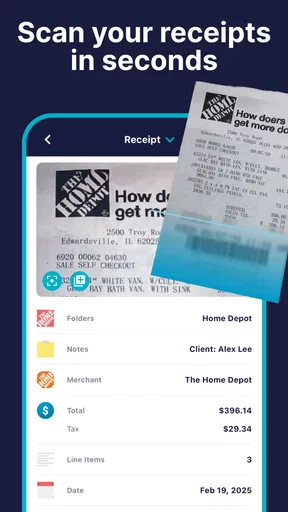
The central idea is straightforward: photograph a receipt, keep a digital copy, and let the app read and sort the information. In my experience, that is more valuable than it may sound. Paper receipts are easy to lose, and a camera roll full of unlabelled purchase photos can become almost as hard to search as a wallet full of scraps. A dedicated expense record gives each capture a purpose.
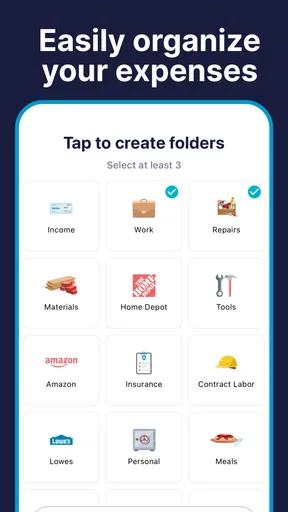
Automatic categorization is helpful as a first pass, not something I would trust without checking. A receipt can include items that belong in different categories, or a merchant name may not make the purpose of a purchase obvious. I’d review the result while the purchase is fresh in my mind, especially for costs I plan to claim as business expenses. That habit keeps a convenient scan from turning into a tidy-looking but inaccurate record.
Another useful workflow is to scan at the point of purchase or during a short end-of-day routine. If I wait until tax season, I have to remember which vague receipt belongs to which project or trip. Capturing it promptly preserves context. For a mixed personal-and-business purchase, I would make a note for myself about the business purpose rather than assuming the image alone will explain it months later.
What day-to-day use can look like
Imagine I buy supplies for a job, grab lunch between appointments, and pick up a household item on the same afternoon. The receipts end up together in my bag, and later it is not immediately clear which purchase belongs in my business records. Scanning each one soon after paying gives me a searchable digital trail and a chance to distinguish the work expense from the personal one while I still remember the details.
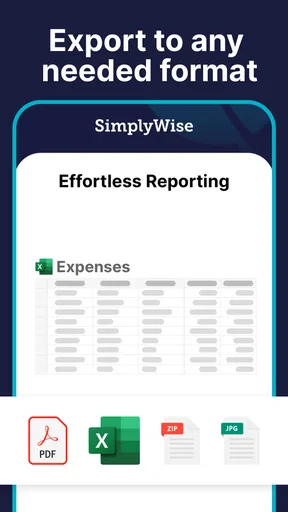
That approach is especially handy for people who work from different places or travel between jobs. Instead of relying on one desk drawer or a monthly pile of paper, I can capture the receipt wherever I am. When I sit down to review the month, the spreadsheet export offers a route into a more detailed check of spending. I would still compare important entries against the original receipts and other financial records before using them for bookkeeping or tax preparation.
The reminder feature can support this routine if I tend to forget small admin tasks. I’d set a nudge for a time when I can actually scan and check the day’s purchases, rather than choosing an arbitrary reminder that I’ll dismiss. The benefit is not that a reminder does the bookkeeping for me; it is that it makes a repeatable habit easier to maintain.
Worth Reading Before You Choose

EA SPORTS FC Mobile 26 Is a Bigger Football Game, but It Takes Time

Flipboard Shows What News Apps Must Do Beyond the Feed

Switching to Android Auto Means Rethinking Your Driving Routine

Google Calendar Makes a Crowded Week Easier to Manage

Ludo King Makes the Most of the Minutes Between Plans

Baby Panda World Brings Quick Play to Modern Phones, but Its Game Library Feels Busy
Where it fits among finance tools
Compared with tracking expenses in a notes app or spreadsheet, SimplyWise gives receipt images a more direct role and can sort information automatically. A manual spreadsheet may offer more control over custom columns and calculations, but it asks me to enter and maintain details myself. A camera roll is quick for storing images, yet it does not provide the same organized expense workflow. For someone whose main pain point is paper receipts, this app’s focus is a sensible middle ground.
It is a different choice from a full accounting system. If I need extensive invoicing, payroll, inventory, or a connected view of business accounts, a broader bookkeeping product may suit me better. SimplyWise is more compelling when the immediate need is to keep receipts and expenses from disappearing into a pile. I would not choose a receipt scanner as a substitute for professional tax advice or for reviewing what expenses qualify under the rules that apply to me.
There is also a trade-off between automation and oversight. Categorization can reduce repetitive work, but I still need to make sure the category fits the purchase. Exporting data to a spreadsheet is useful for analysis, though it may mean doing extra cleanup if I rely on a particular bookkeeping format. Before making it the center of a business process, I would test a small batch of receipts and see whether the exported information matches the way I actually review expenses.
Who is likely to benefit most
I’d recommend trying it if you are self-employed, have a steady stream of small work-related purchases, and regularly lose track of paper receipts. It can also help someone who wants a clearer record without building a complicated budgeting system. The strongest fit is a person willing to scan consistently and check the app’s organization, rather than someone expecting a single button to produce flawless accounts.
It is less suitable if you rarely receive paper receipts, already have a bookkeeping setup that captures expenses reliably, or need extensive business-management tools in one place. Someone who prefers entering every transaction manually may also find the automated receipt workflow unnecessary. And if you only want to track a few monthly bills, a simple spreadsheet or existing bank tools might involve less effort.
SimplyWise is a free finance app from SimplyWise, with optional in-app purchases ranging from $0.99 to $449.99 per item. I’d check the purchase details in the app before committing to anything, and decide whether the free experience covers the way I plan to use it. The app is rated for Everyone, which makes it broadly accessible, although the usefulness of its expense records depends on how carefully the person using it handles financial information.
Getting Started with SimplyWise
So, you know how we all have those moments where we just can't keep track of our expenses? I mean, I’m all about that spontaneous coffee run, but at the end of the month, my wallet is always like, "What happened?" That's where SimplyWise comes in.
First off, downloading the app was a breeze. Available on both Android and iOS, it’s just a quick search away in your respective app store. Once installed, you’re greeted with a clean and intuitive interface. No overwhelming menus or buttons, just a simple layout that says, "Hey, let’s get organized."
Features that Shine
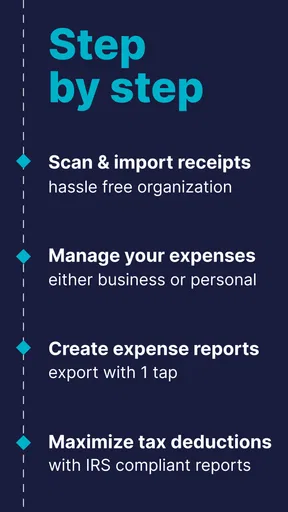
Now, onto the features. The app is primarily designed to help you manage your receipts and expenses effortlessly. You can snap a quick photo of your receipt, and boom, it’s stored digitally. No more fumbling through crumpled papers in your wallet or purse!
What I found super helpful is the automatic categorization. The app reads your receipts and sorts them into categories like groceries, dining, or utilities. It’s like having a personal assistant who’s really good with numbers.
There's also a nifty feature where you can export your data into a spreadsheet. Perfect for you spreadsheet lovers out there who want to keep a detailed track of where every cent is going. It syncs seamlessly, making sure you have access to your data wherever you are.
User Experience
The user experience is pretty spot on. Everything flows nicely, and the app doesn’t lag or crash, which is always a plus in my book. The design is minimalistic, focusing on functionality over flashy graphics, which I appreciate. It keeps the focus on what’s important – keeping track of your expenses effortlessly.
I also love the reminder feature. You can set it up to nudge you to scan your receipts at the end of the day. It’s like your mom reminding you to wash your hands before dinner, but for your finances.
Why SimplyWise Stands Out
Now, why would you choose SimplyWise over other expense tracker apps? For me, it’s the simplicity. It’s not bogged down with unnecessary features or ads every two seconds. It does what it says on the tin – helps you manage your expenses without the fuss.
Another thing that caught my attention is their focus on privacy. All your data is encrypted, and they’re pretty transparent about how they handle your information. In a world where apps can sometimes overreach, it’s comforting to know that your financial data is in safe hands.
Final Thoughts
All in all, SimplyWise: Receipts, Expenses is a solid app if you're looking to simplify your financial tracking. It’s intuitive, efficient, and just gets the job done. Whether you’re a meticulous budgeter or someone just trying to get a handle on their spending, this app is definitely worth a download.
So, go ahead and give it a try. It might just become your new best friend in the world of finance management. Trust me, your future self will thank you for it!
A sensible routine beats a backlog
The main practical question is whether I will actually scan receipts as I go. If I leave them in a bag for weeks, the app cannot restore the context I have forgotten. I’d begin with a small routine: capture work purchases when possible, check the category, and set aside time to review the records before preparing taxes or handing them to a bookkeeper. That is more reliable than treating a scanner as a complete bookkeeping system.
For a receipt that is faded, crowded, or hard to read, I would keep the paper copy until I have checked that the digital record is useful. The photo is a convenient reference, but for important business costs I would not assume that every character or line item has been interpreted correctly. A quick visual check is a modest extra step that can prevent a mistaken amount from travelling into later reports.
One non-obvious advantage of capturing receipts close to the purchase is that it can help separate similar-looking expenses. A meal during a work trip and a personal meal may produce nearly identical slips; the image alone may not tell me why I spent the money. Reviewing it promptly lets me attach the right context in my own process. I would also avoid scanning a receipt and then discarding it until I know the digital copy is legible and adequate for my recordkeeping needs.
Check the details before relying on the records
People often wonder whether a receipt scanner can replace a dedicated accounting service. I would not use SimplyWise that way without first confirming that its workflow meets my reporting needs. It is best understood as help with capturing and organizing expense evidence, while a spreadsheet or accounting product can handle the wider job of reconciling transactions, tracking income, and preparing business reports. If those broader tasks are central to my work, I’d use a more complete system and treat receipt capture as one part of it.
Another reasonable question is whether the app makes sense for a person with only occasional expenses. It can still be handy if those few receipts are important or easy to misplace, but the effort of scanning may outweigh the benefit for someone who has little paperwork. I’d try it with a typical week’s purchases and see whether the resulting organization saves time. If I find myself maintaining the same information elsewhere anyway, a simpler method may be better.
The app’s current version is 0.82.2, and its average rating is 4.7 from around 9,700 ratings, with more than 100,000 installs. Those figures suggest that many people have tried it, but they do not tell me whether it matches my particular bookkeeping habits. I’d judge it by a practical test: can I capture the receipts I care about, find them later, and export information I can use without excessive correction?
SimplyWise was released on December 4, 2020, and the listed minimum operating system is 7.1. Before installing, I’d check that my device can run the current version and review the app’s permissions and privacy details in the relevant store. Since receipts can reveal sensitive purchase information, I’m careful about where I keep them and who can access my device, even when an app describes its data protections positively.
For me, the best reason to use this app is not that it removes every finance chore. It gives receipts a better chance of becoming usable records instead of forgotten paper, and the reminder and spreadsheet workflow can make regular review less daunting. If that is the problem I’m trying to solve, I’d give it a trial run with a handful of real expenses. If I need full accounting, highly customized reporting, or a system that requires no manual checking, I’d choose a broader tool instead.
Pros
- Easy receipt scanning with OCR.
- Automatic expense categorization.
- User-friendly interface design.
- Secure cloud storage for data.
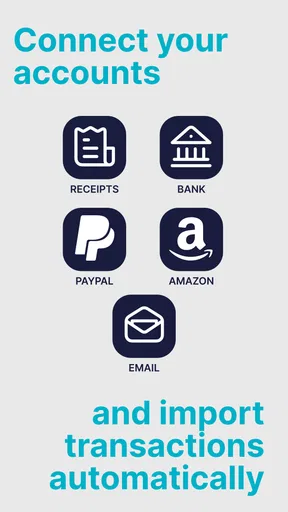
- Integration with other financial apps.
Cons
- Limited free version features.
- Occasional OCR inaccuracies.
- No offline data access.
- Subscription can be pricey.
- Limited customization options.
FAQs for SimplyWise: Receipts, Expenses
What features does SimplyWise offer for managing receipts and expenses?
SimplyWise provides a robust set of features designed to simplify receipt management and expense tracking. Users can easily scan and digitize receipts, categorize expenses, and generate detailed reports. The app also offers cloud storage for easy access and integrates with popular accounting software, making it a versatile tool for both personal and business use.
How secure is my data on SimplyWise?
SimplyWise prioritizes user data security by implementing advanced encryption methods to protect all information. The app ensures that your receipts and financial data are stored securely, with access limited to authorized users. Regular updates and compliance with industry standards further enhance data protection, giving users peace of mind.
Is SimplyWise compatible with both Android and iOS devices?
Yes, SimplyWise is available for download on both Android and iOS platforms. The app is optimized for a seamless experience across devices, ensuring that users can manage their receipts and expenses on the go. Regular updates ensure compatibility with the latest operating systems and devices.
Can I use SimplyWise for business expense tracking?
Absolutely! SimplyWise is designed to cater to both personal and business users. It allows for the categorization of expenses, generation of expense reports, and integration with accounting software, making it an excellent tool for small businesses and freelancers looking to keep track of their finances efficiently.
Does SimplyWise offer a free version, and what are the limitations?
SimplyWise does offer a free version with basic features such as receipt scanning and categorization. However, for more advanced features like detailed reporting, cloud storage, and software integration, a subscription to the premium version may be required. Users can try the premium features with a trial period to assess their needs.


